Animify
Ask anyone who has used AI image generators for more than a few minutes what their biggest frustration is, and you will hear the same answer: consistency. You generate a perfect anime character — the hair is right, the eyes are expressive, the outfit works — and then you try to generate the same character in a different pose, a different setting, or from a different angle, and the result looks like a completely different person. The face shape shifts. The hair color drifts. The distinctive details that made the first image great simply vanish.
This consistency problem is not a minor annoyance — it is the single biggest barrier between AI anime art as a toy and AI anime art as a production tool. If you want to build a comic series with recurring characters, create a brand mascot that appears across multiple marketing assets, or maintain a recognizable visual identity on social media, you need techniques for keeping characters consistent across generations. This tutorial walks through the most effective methods available in 2026.
Why Character Consistency Matters
Before diving into technique, it is worth understanding what consistency actually accomplishes from a creative and commercial standpoint:
Narrative Coherence
In any visual storytelling medium — comics, graphic novels, illustrated children's books, animated shorts — the audience needs to recognize characters across panels and pages. If the protagonist's hair changes from brown to black between page three and page four, the reader is pulled out of the story. Consistency is not just an aesthetic preference; it is a functional requirement for narrative media.
Brand Recognition
A brand mascot or visual identity character only works if it is recognizable. When audiences see the character on a website, then on social media, then on product packaging, the character needs to read as the same entity every time. Inconsistent character design undermines the entire purpose of having a mascot — the audience cannot form an attachment to something that looks different every time they encounter it.
Production Efficiency
If every new image requires starting from scratch — new character design, new visual language, new styling decisions — the speed advantage of AI generation evaporates. Consistent characters allow you to batch-produce content because the creative decisions were made once and then applied repeatedly. This is the difference between generating one-off art and building a content pipeline.
Technique 1: The Source Photo as a Creative Anchor
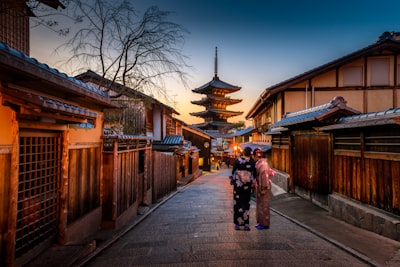
 Using a consistent source photo as your anchor is the foundation of AI character consistency — the input determines the output
The single most reliable technique for character consistency in AI anime generation is to use the same source photograph as the input for every generation. This works because AI image models are fundamentally translators — they take your input image and reinterpret it through the lens of the chosen style. If the input is consistent, the output will share common features.
Here is the step-by-step workflow:
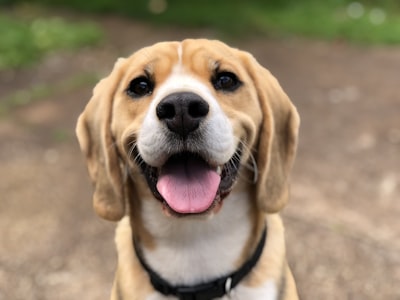
Step 1: Choose a single anchor photo. Select a clear, well-lit portrait photograph with a neutral expression and minimal background clutter. This is your character's "base." The photo does not need to look anything like your intended anime character — the AI will handle the transformation — but it does need to be high quality. 512x512 pixels minimum, shot in even lighting, with the subject's full face visible.
Step 2: Generate your character in multiple styles using the same photo. Upload your anchor photo to AnimifyAI's generator and run it through each style you are interested in. This gives you a sense of how your character translates across different anime aesthetics. You will likely find that one or two styles produce results that feel particularly "right" for the character you are envisioning.
Step 3: Use the best result as your character reference. Pick the generation that most closely matches your vision and save it as a reference image. This is not your final character sheet — it is a benchmark. When you generate future images of the same character (using the same anchor photo in the same style), compare them to this reference to check for consistency.
The anchor photo method is not perfect — different poses, angles, and expressions will introduce some variation — but it is the most reliable starting point available today. For techniques on getting the most out of your photo inputs, check out our photo-to-anime converter guide.
Technique 2: Style Selection Strategy
Not all anime styles are equally suited to character consistency. Some styles — particularly those with softer edges and more impressionistic rendering — are more forgiving of small variations between generations. Others, with highly detailed linework and precise proportions, make inconsistencies more visible.
Based on extensive testing across AnimifyAI's six styles, here are the consistency characteristics of each:
Ghibli style offers the highest baseline consistency. The warm watercolor rendering, soft edges, and painterly approach to facial features mean that small variations between generations are absorbed into the overall aesthetic rather than standing out as errors. For character-driven projects — especially comics and illustrated stories — Ghibli is the most reliable starting point.
Shinkai style produces highly detailed, cinematic results with strong lighting effects. The consistency is good but not as forgiving as Ghibli — the precise rendering means facial features are more defined and therefore variations are more noticeable. Use Shinkai when you want dramatic, movie-poster-quality character art and are willing to generate a few extra variations to find the perfect match.
Ukiyo-e, Cyberpunk, Watercolor, and Chibi each have their own consistency profile. Chibi, with its exaggerated proportions and simplified features, is surprisingly consistent because the deformation is so stylized that precise facial matching becomes less critical. Cyberpunk's high-contrast neon rendering can mask some inconsistencies but also introduces heavy lighting that can obscure character-defining details.
The practical recommendation: start with Ghibli for character consistency work, then experiment with other styles once you have a solid reference library built.
Technique 3: Post-Processing for Uniformity
 Light post-processing creates visual cohesion across otherwise disparate generated images
Even with a consistent anchor photo and a well-chosen style, you will encounter some variation between generations. The final step in achieving visual consistency is post-processing — applying the same adjustments to every image in your character series so they read as a unified set.
The most impactful post-processing adjustments for character consistency are:
Color grading: Apply the same color balance, saturation, and contrast adjustments to every image in the series. Even if the AI produces slightly different colors between generations, consistent color grading creates a visual through-line that tells the viewer "these images belong together."
Background neutralization: Remove or standardize backgrounds across images. AI anime generators sometimes produce inconsistent background elements that draw attention away from the character. Cutting out the character and placing them on a consistent background (solid color, gradient, or simple pattern) eliminates a major source of perceived inconsistency.
Cropping and framing: Use consistent framing across your image series. If one image is a tight headshot and the next is a full-body shot, the viewer's brain is processing different visual information in each case — making inconsistencies feel more pronounced. Standardizing your framing (e.g., all medium-close-up portraits) creates a structural consistency that supports the character consistency.
None of these post-processing techniques require advanced design skills. Basic photo editing software or even free browser-based tools can handle all three. The key is applying them consistently — batch-processing your images with the same adjustments.
Real-World Use Cases
Webcomics and Digital Comics
Independent comic creators are among the earliest adopters of AI character consistency techniques. By generating panels with consistent characters, a solo creator can produce comic pages in hours rather than days — without hiring an illustrator. The workflow typically involves generating character expressions and poses using the anchor photo method, then compositing them into comic panels with speech bubbles and backgrounds added in post-production. The output quality depends heavily on how well the consistency techniques are applied, but the best examples are already approaching professional indie-comic standards.
Brand Mascots
Small businesses and content creators are increasingly using AI-generated anime characters as brand mascots — a friendly, recognizable visual identity that appears across websites, social media profiles, and marketing materials. The consistency requirements for a brand mascot are high: the character needs to be instantly recognizable whether it appears as a website hero image, an Instagram profile picture, or a promotional graphic. The anchor photo method combined with consistent style selection makes this achievable for businesses that could never afford a custom mascot design from a human illustrator. For more on this, see our AI anime for business guide.
Social Media Series Content
Content creators who build audiences around recurring character-driven formats — "anime me" daily posts, character-based storytelling, themed transformation series — rely on consistency to keep their audience engaged. When followers know they will see "the same character" in each post, they develop an attachment that drives repeat engagement. The anime profile picture format is a natural entry point for this type of content series.
What Consistency Cannot (Yet) Do
It is important to be realistic about the current state of AI character consistency. Even with the best techniques, you will not achieve the frame-by-frame precision of hand-drawn animation or the exacting detail of a professional character reference sheet. AI models still struggle with consistent clothing details across generations, complex hairstyles tend to drift, and accessories (glasses, jewelry, distinctive props) are unreliable.
The technology is improving rapidly — dedicated character-consistency models are in active development at several AI labs — but for now, the techniques described in this article represent the best available approach. They are sufficient for comics, social media content, brand visuals, and personal creative projects. For professional animation or AAA game character design, traditional workflows still produce more reliable results.
Start Building Your Character Universe
Character consistency is the skill that separates casual AI art dabblers from serious creators who build audiences and businesses around their work. It takes practice — you will develop a feel for which anchor photos work best, which styles suit your characters, and which post-processing adjustments produce the most cohesive results. But the learning curve is measured in hours, not months.
The best way to learn is to start. Upload a photo to AnimifyAI now — pick Ghibli style for maximum consistency, generate your first character image, and save it as your reference. Generate a second version with the same photo and style, and compare the two. The differences between them will teach you more about consistency than any article can. For commercial-grade quality and full licensing rights, check out our paid plans which include 4K output and priority generation.